
Your documents intelligently organized
Scan or upload. Kludo summarizes, detects deadlines and files everything in the right folder.
Free for 25 documents · No credit card
- Developed and hosted inGermany
- Data protection underGDPR
How Kludo works
From letter to done
Using a utility bill as an example, scroll to see step by step how Kludo processes a document. You can adjust every detail Kludo recognises at any time.
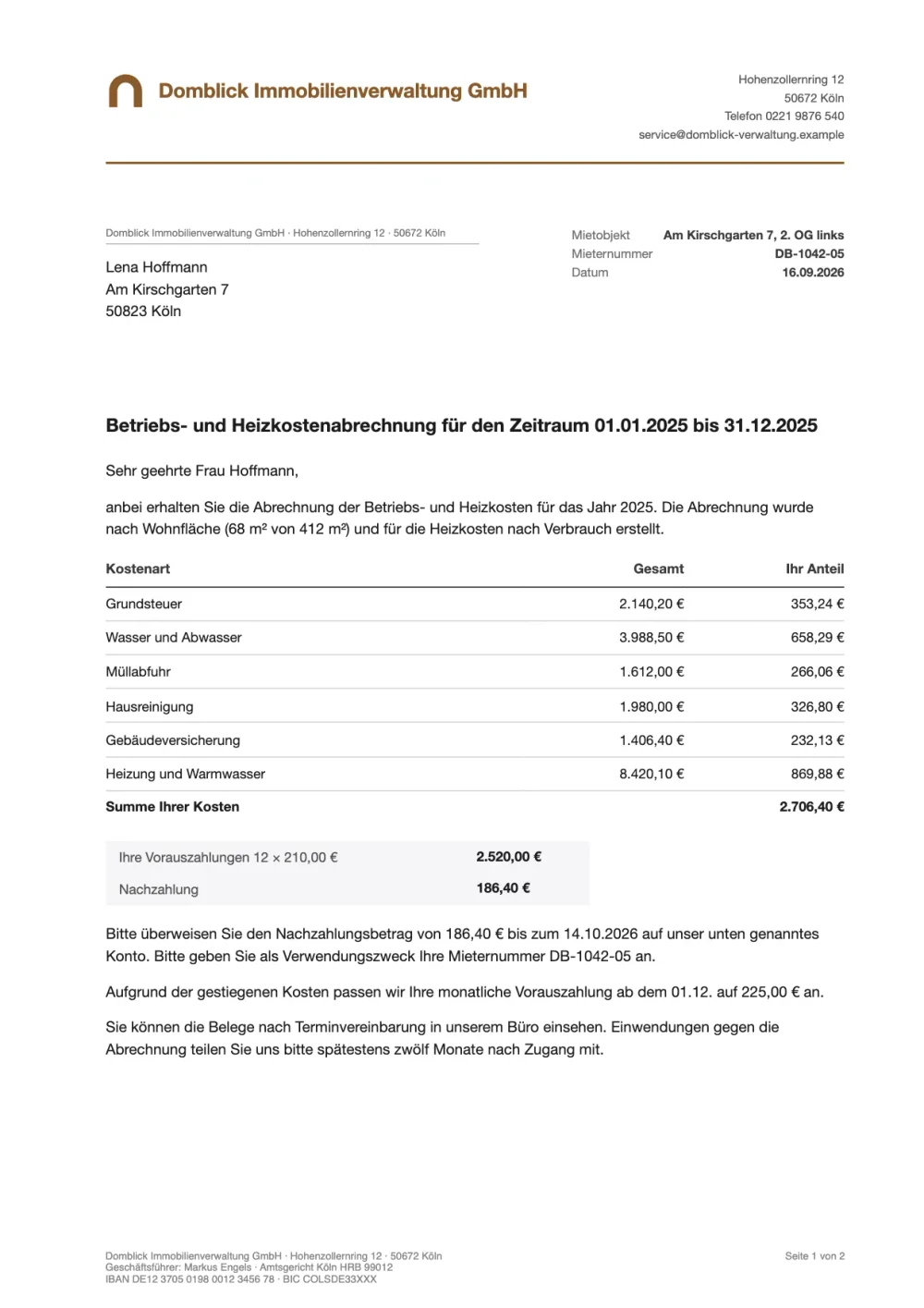
1Analysed
Kludo AI analyses your uploaded document.
Service charge statement 2025 …2Summed up
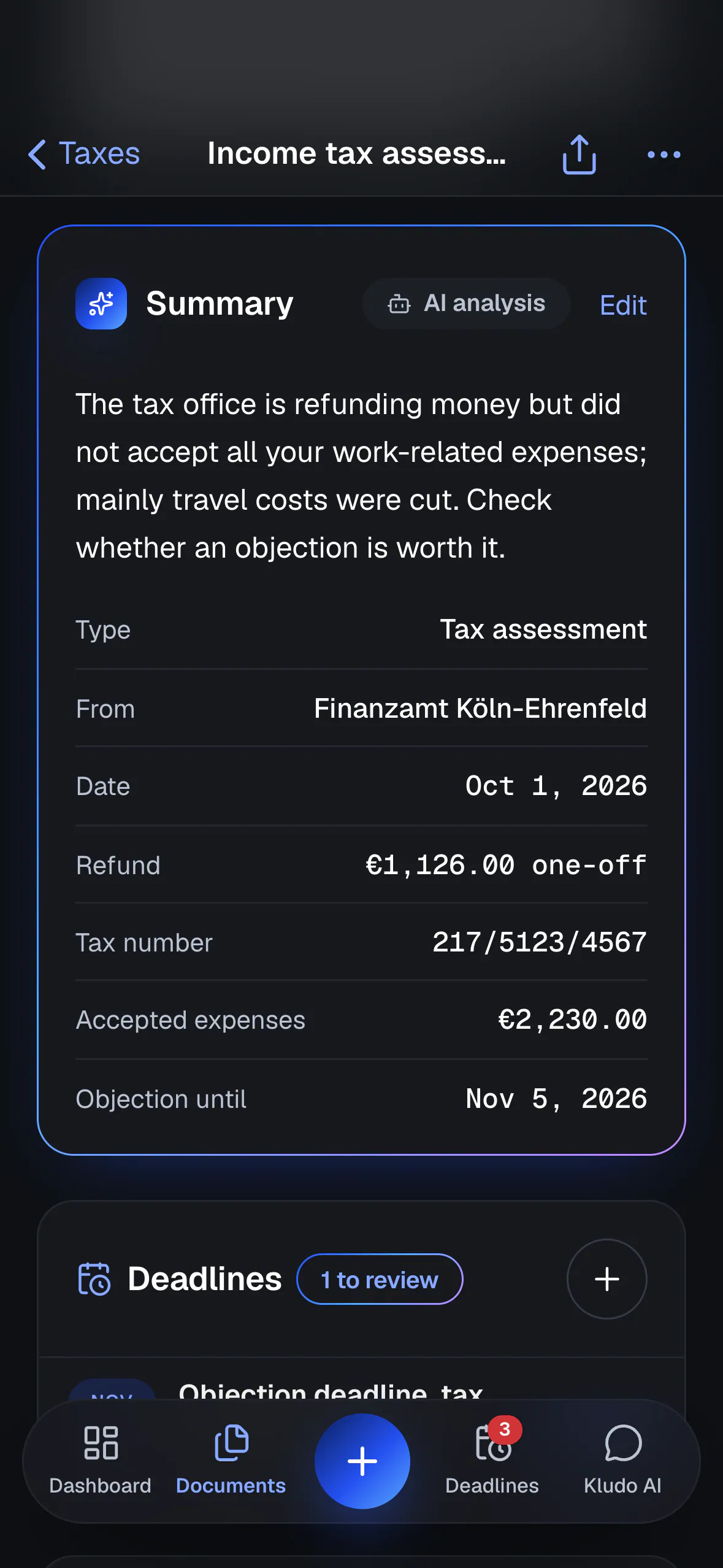
Kludo automatically sums up the content in two clear sentences.
Summary
The property manager has settled last year's operating and heating costs. You owe an additional payment, and your monthly advance goes up.
3Pulled out
Amounts, numbers and dates are laid out clearly as key facts.
Key facts
- Billing period
- 01.01.–31.12.2025
- Additional payment
- €186.40
- Due by
- 10/24/2026
- New monthly advance
- €225.00
4Deadline spotted
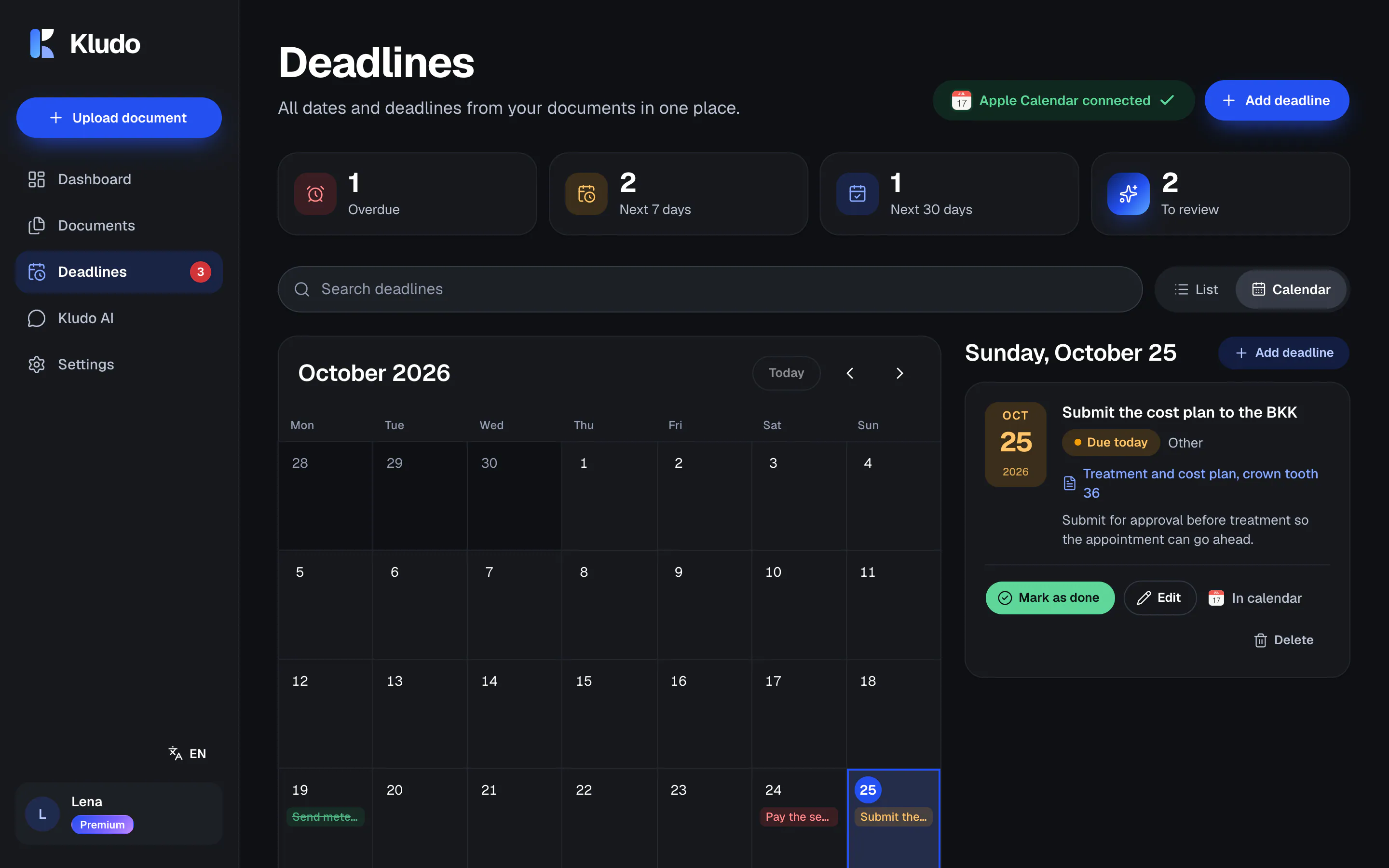
The deadline appears in your deadlines, with the matching passage from the letter as evidence.
Oct24New deadlinePay the service charge balanceOverdue by 1 day · Payment5Folder suggested
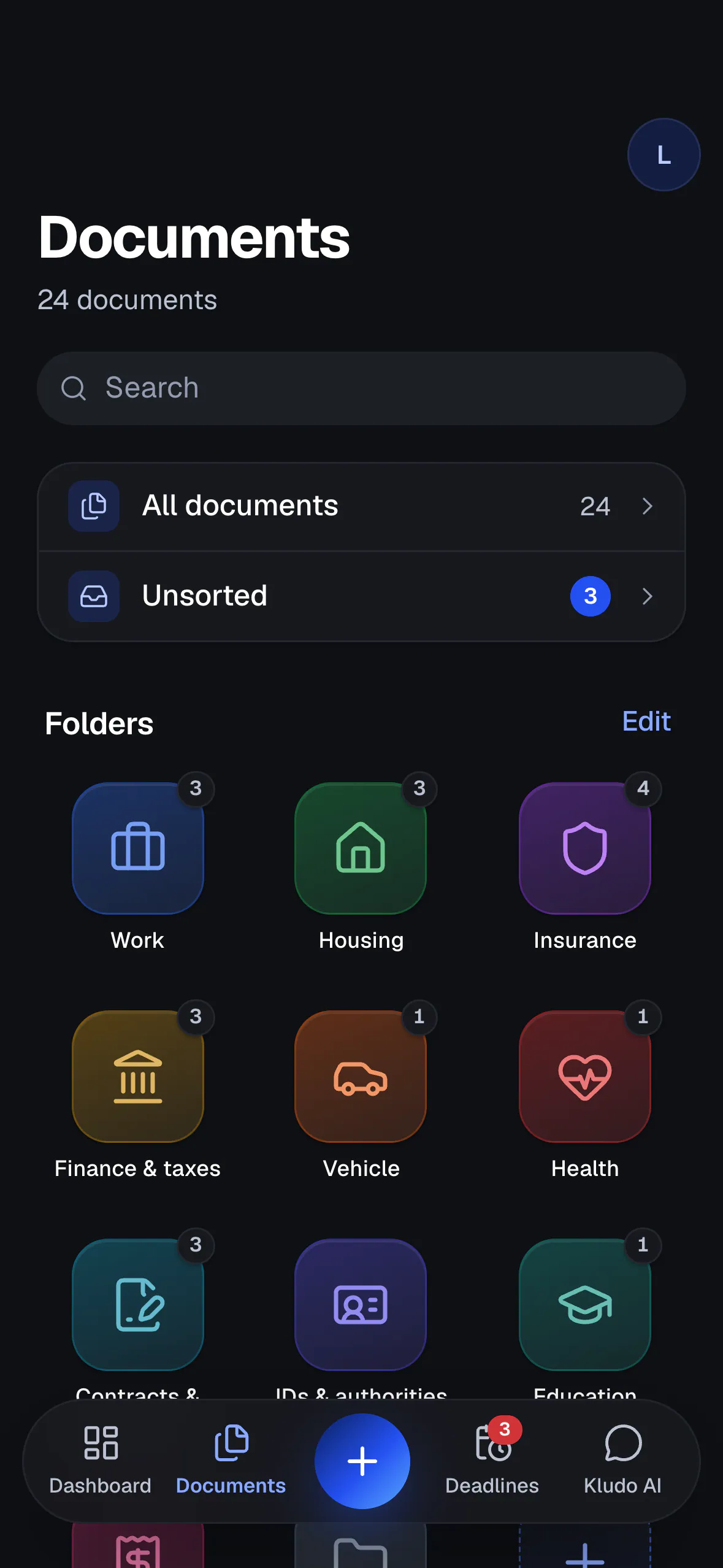
Kludo suggests the right folder.
Suggested folderHousing › Utilities & energy Service charge statement 2025
Features
Everything your documents need
Kludo AIPremium
Answers from your documents with source and page, and finished letters on request.
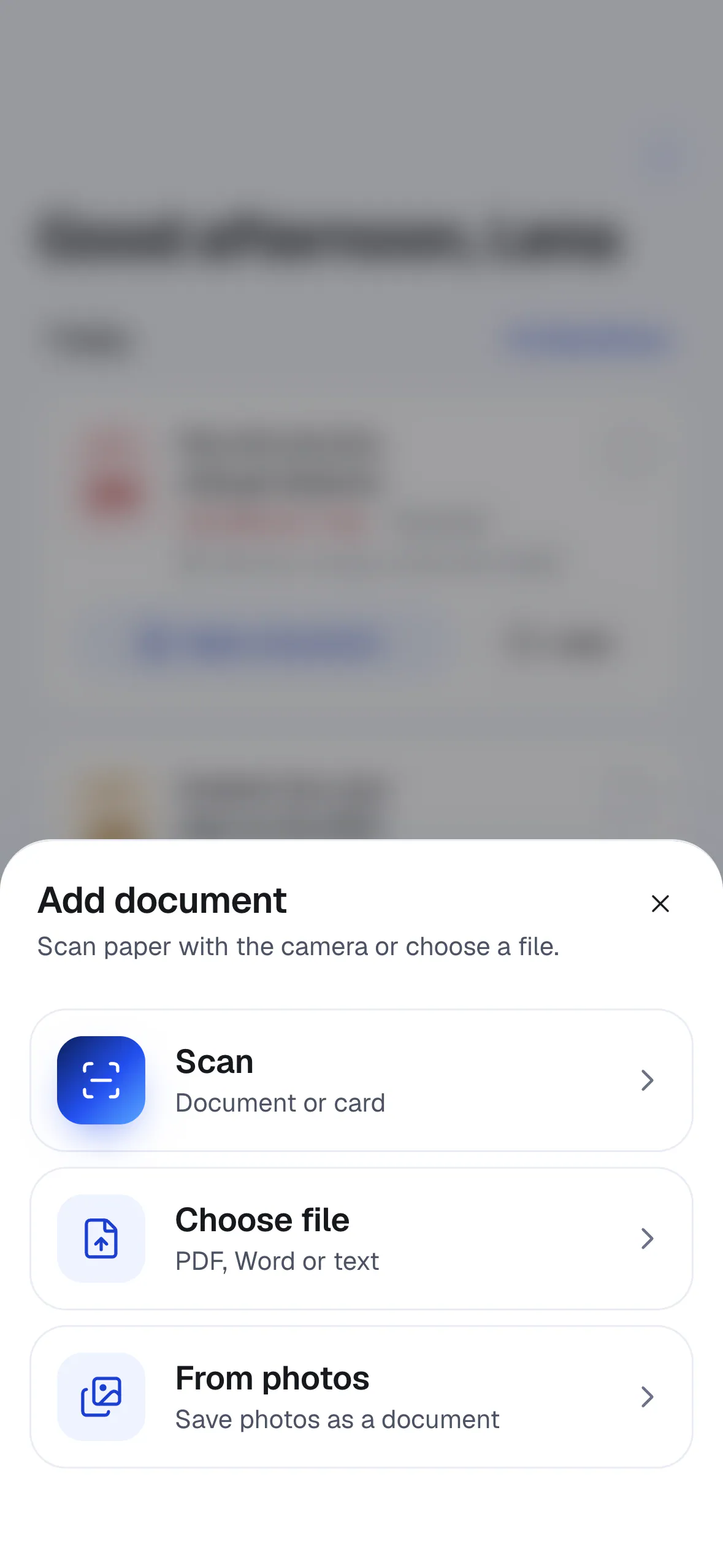
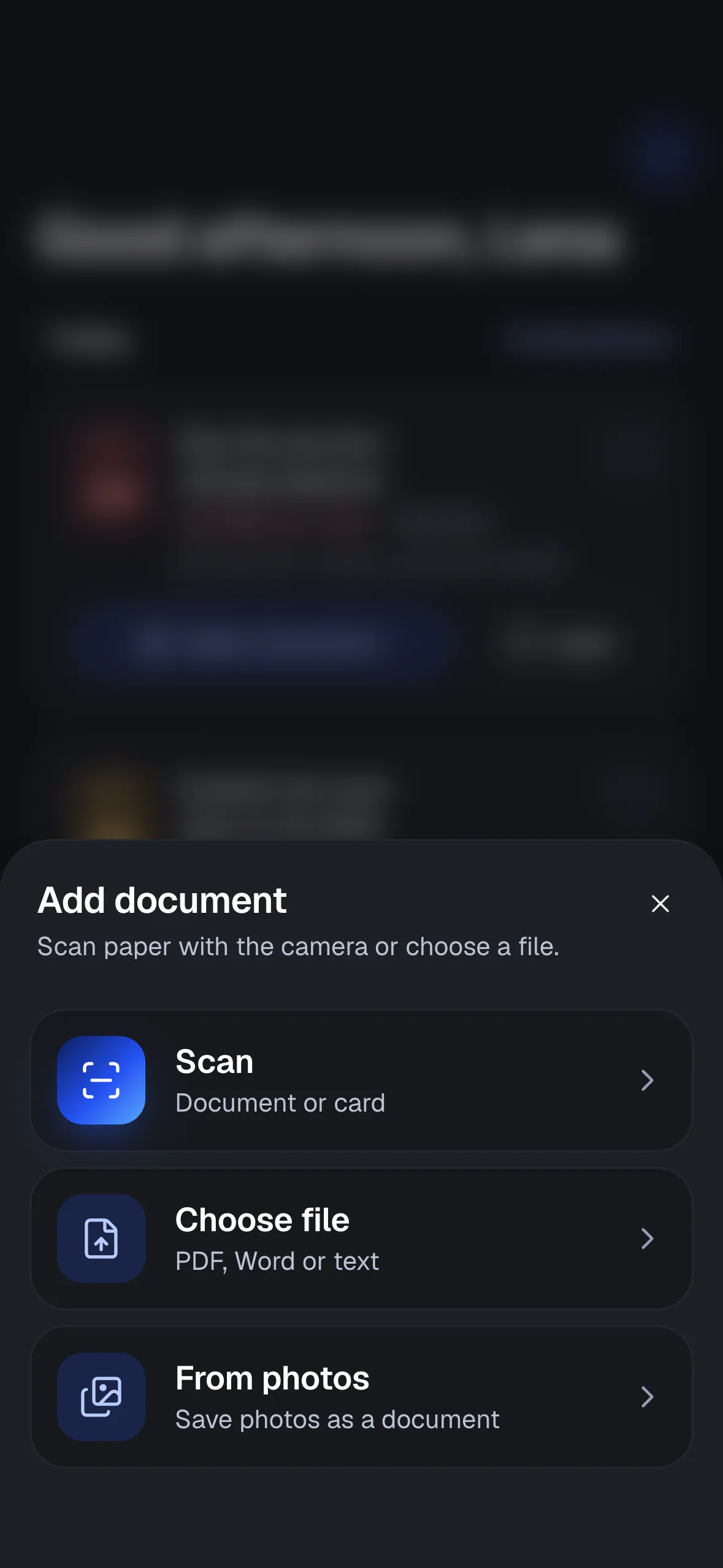
Scan & upload
Kludo detects the edges of a letter and reads the text right on your phone.
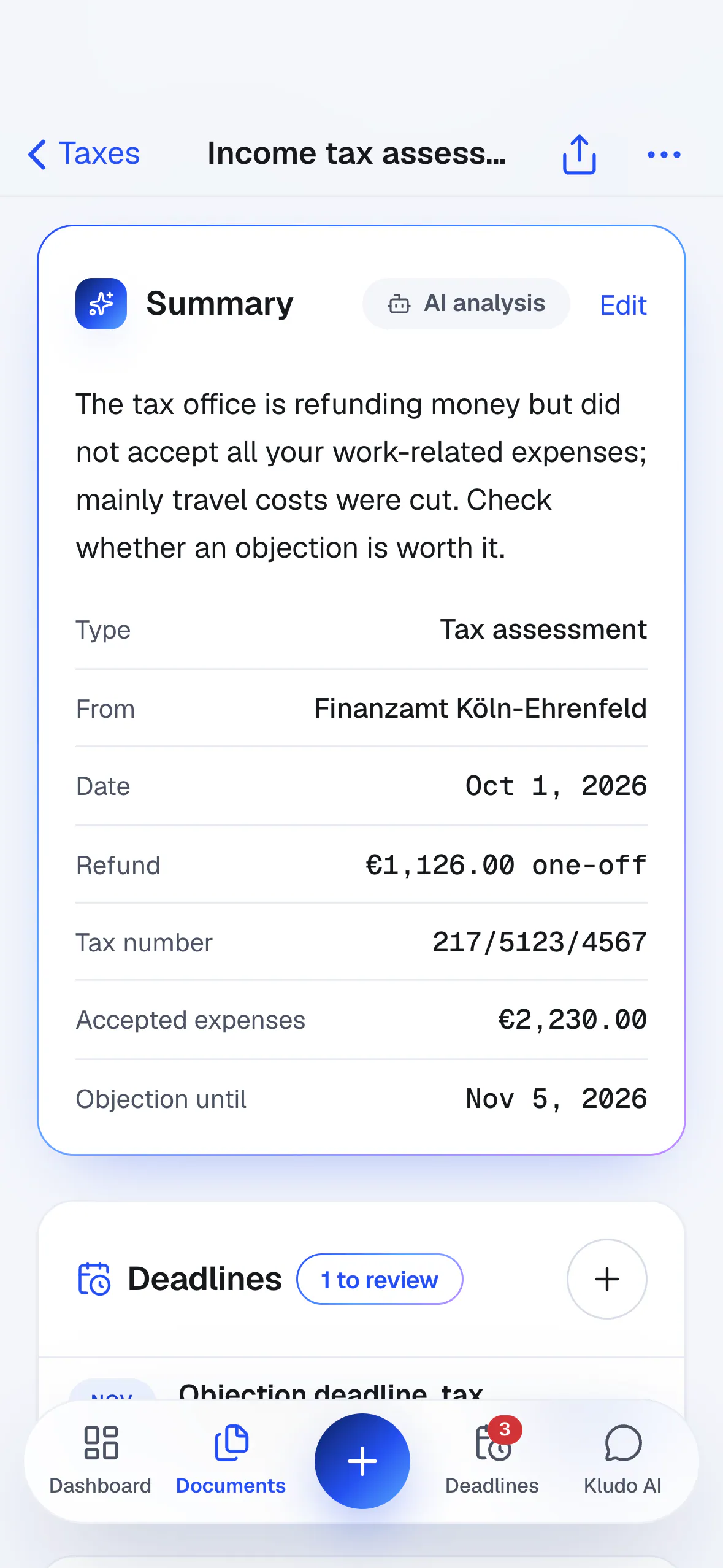
Summary & key facts
The content in two sentences, with amounts, numbers and dates at a glance.
Deadlines & calendar
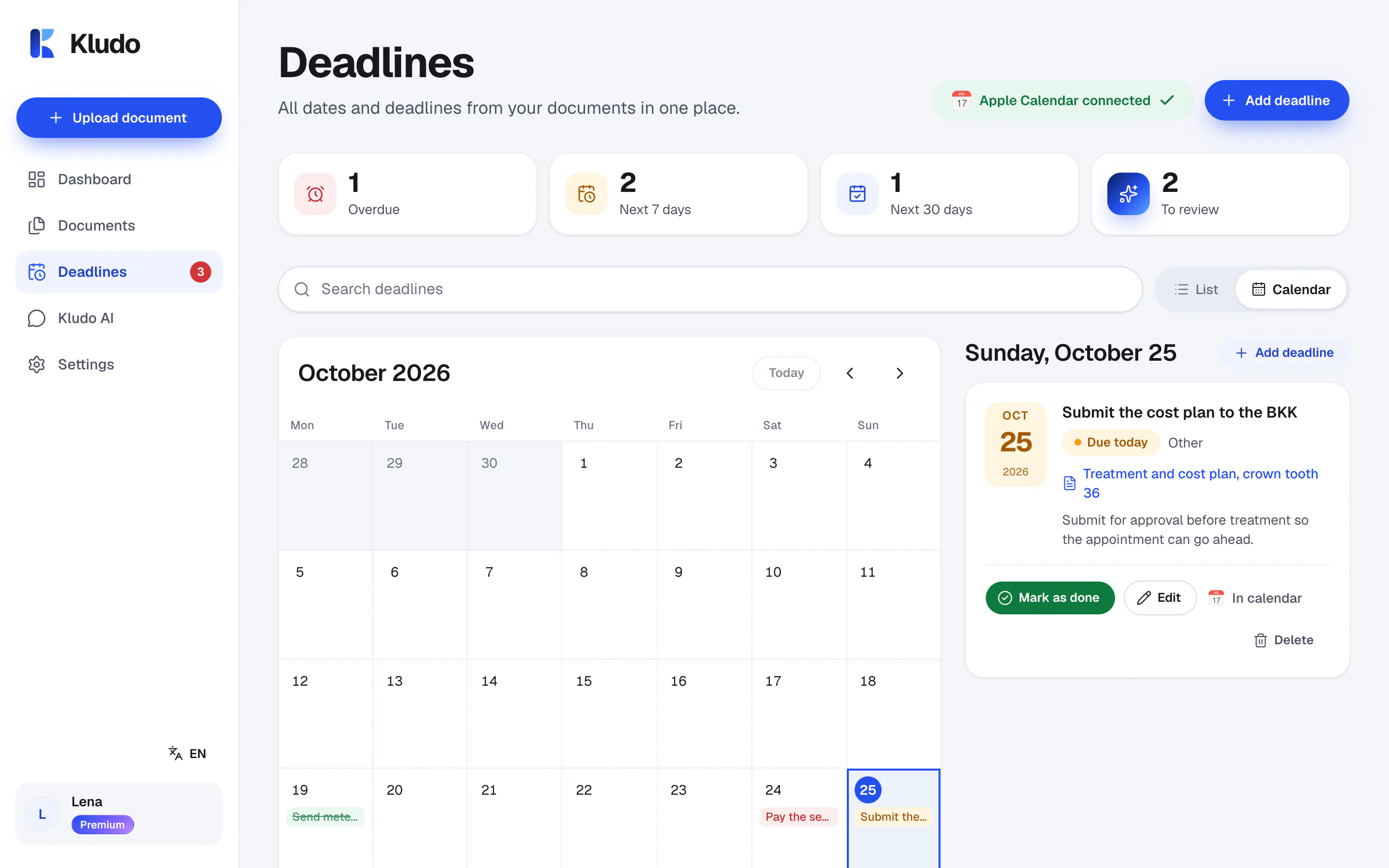
Cancellation, payment and objection deadlines are detected and shown in good time.
Folders & search
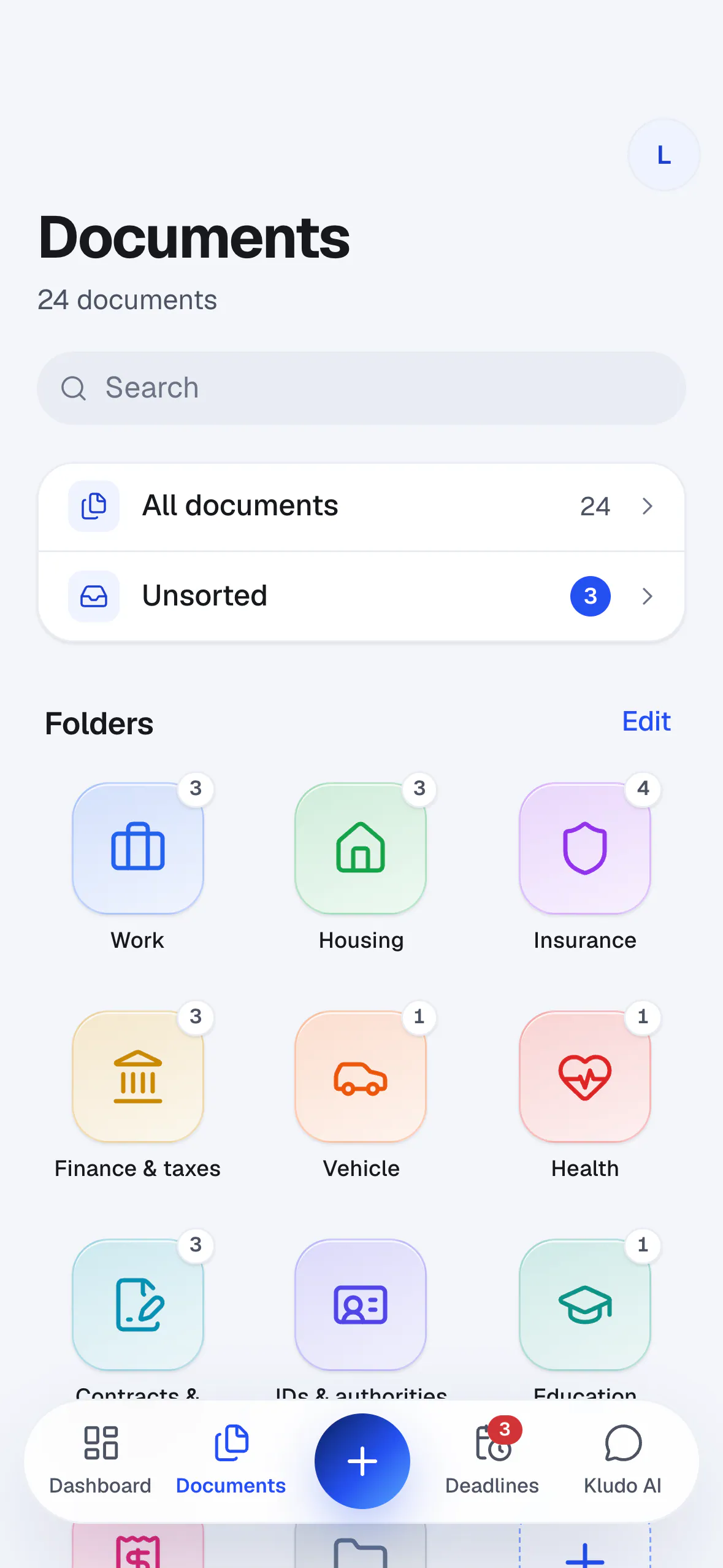
Every document in the right folder and findable by any word it contains.
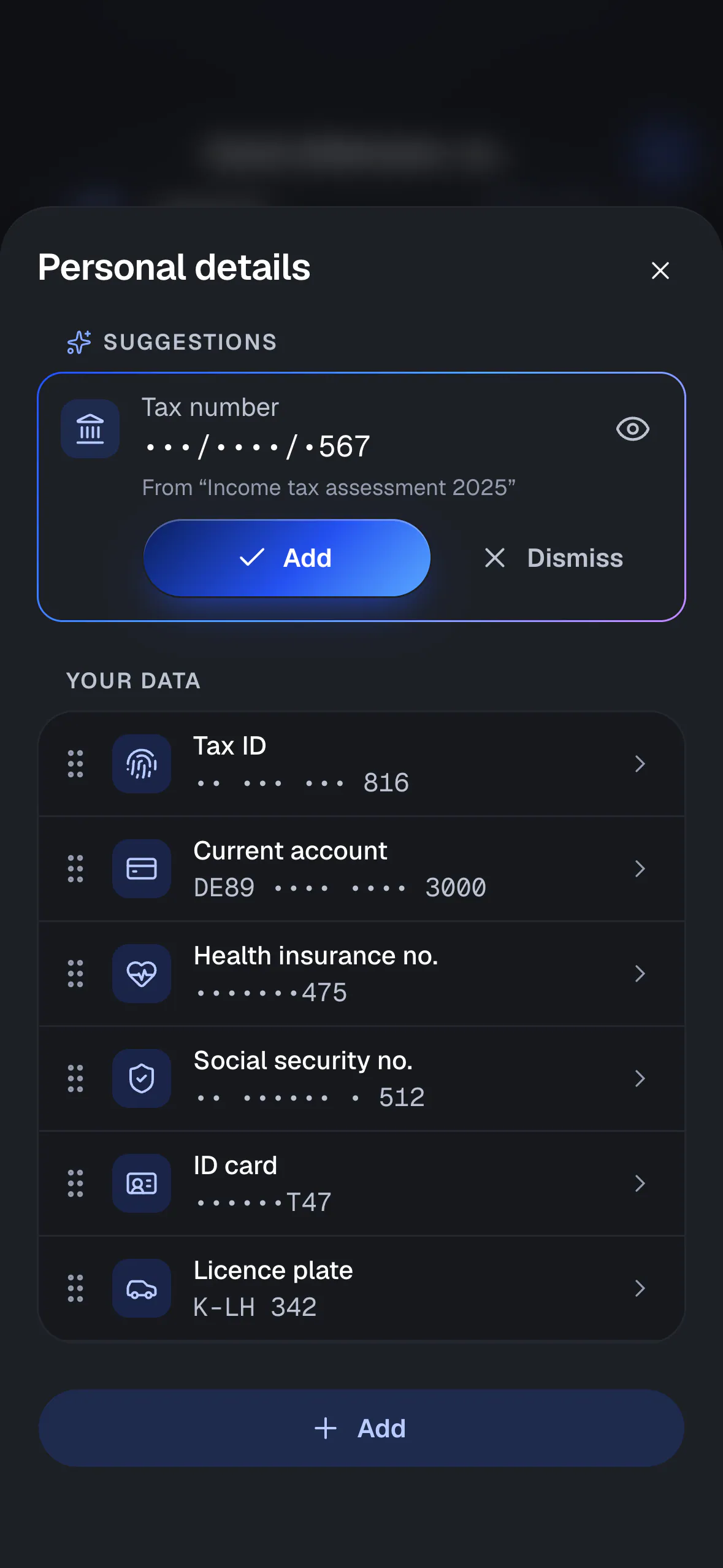
Personal details
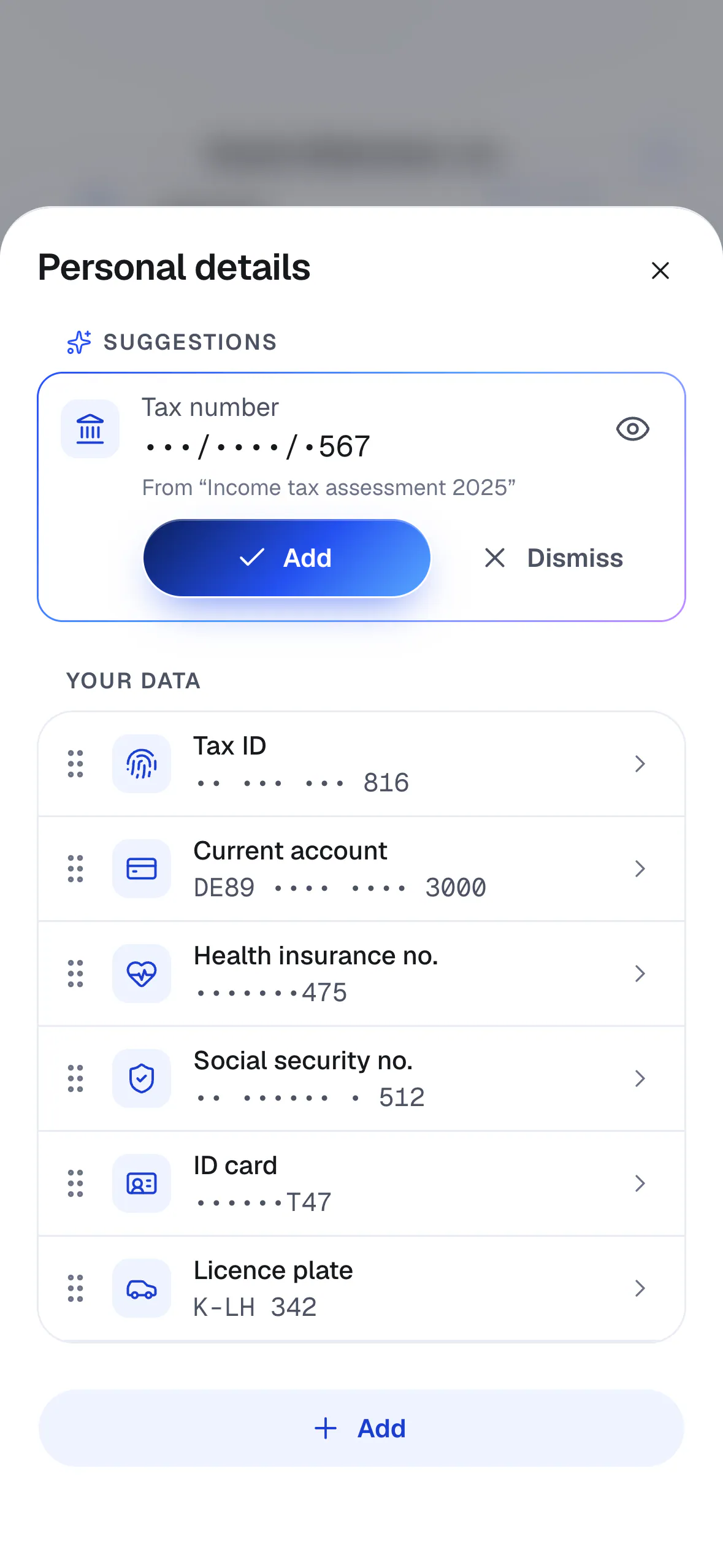
Tax ID, IBAN and insurance number masked and at hand, plus your cards in the wallet.
Kludo AI Premium
Questions about your documents? Kludo AI has the answers
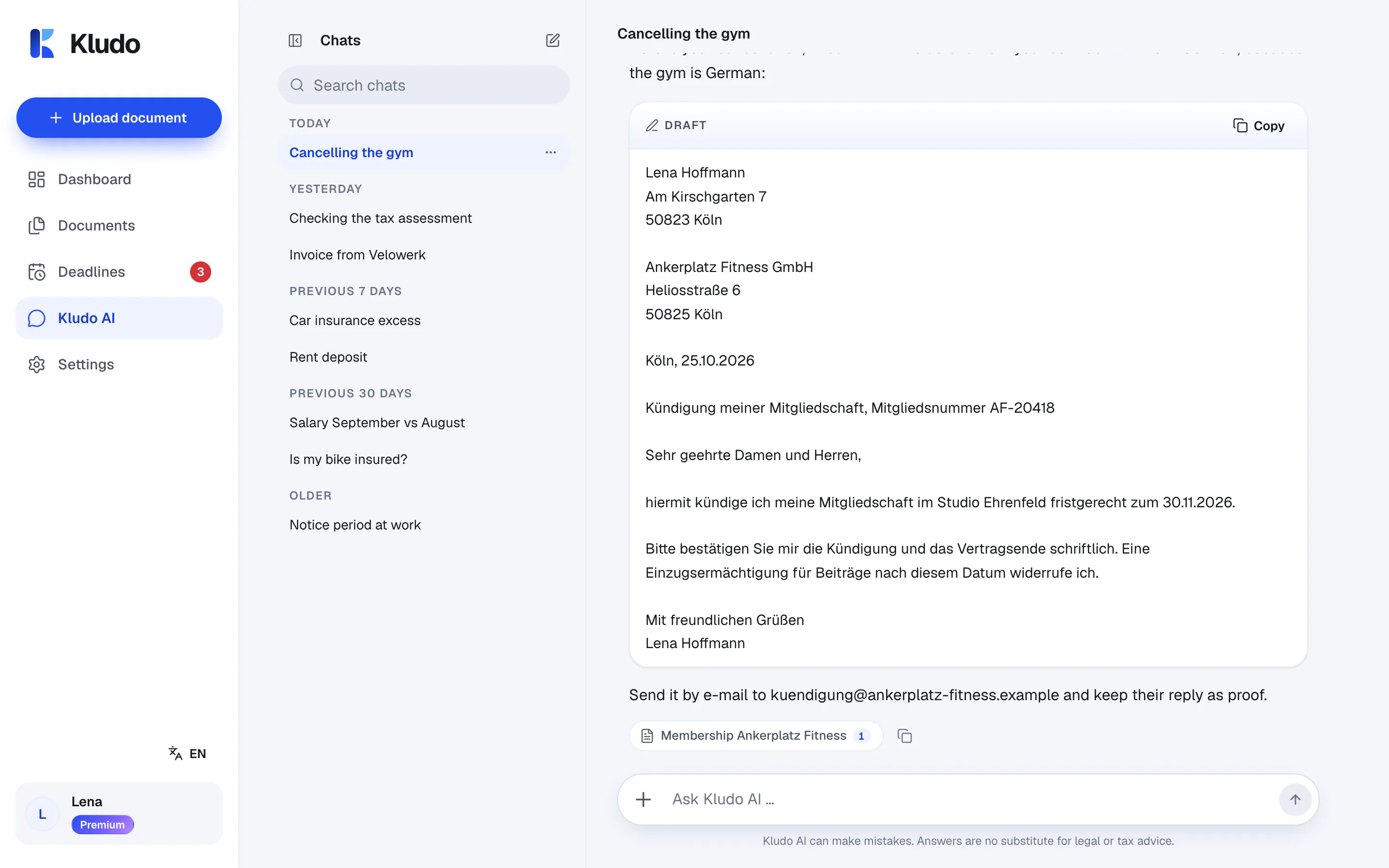
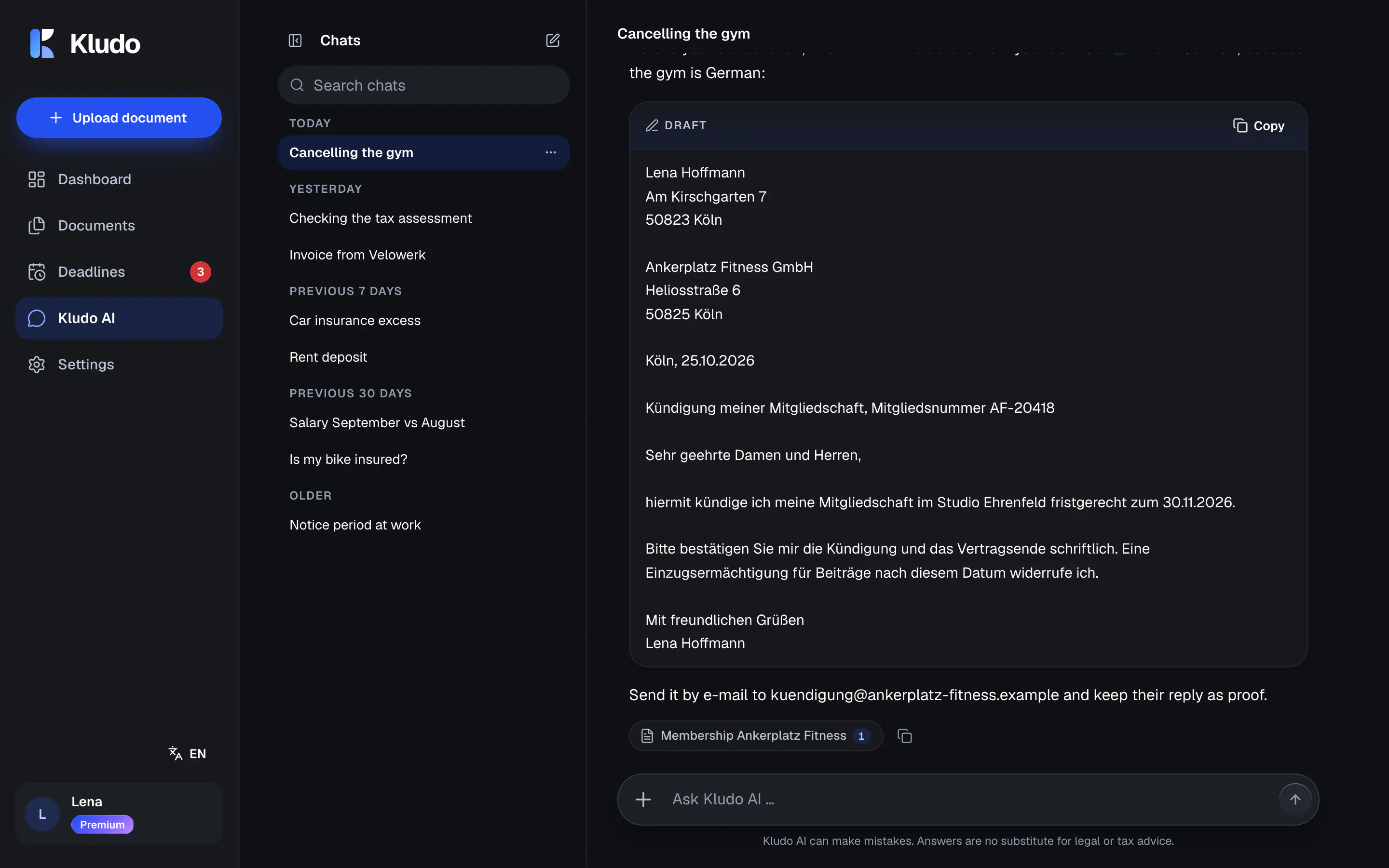
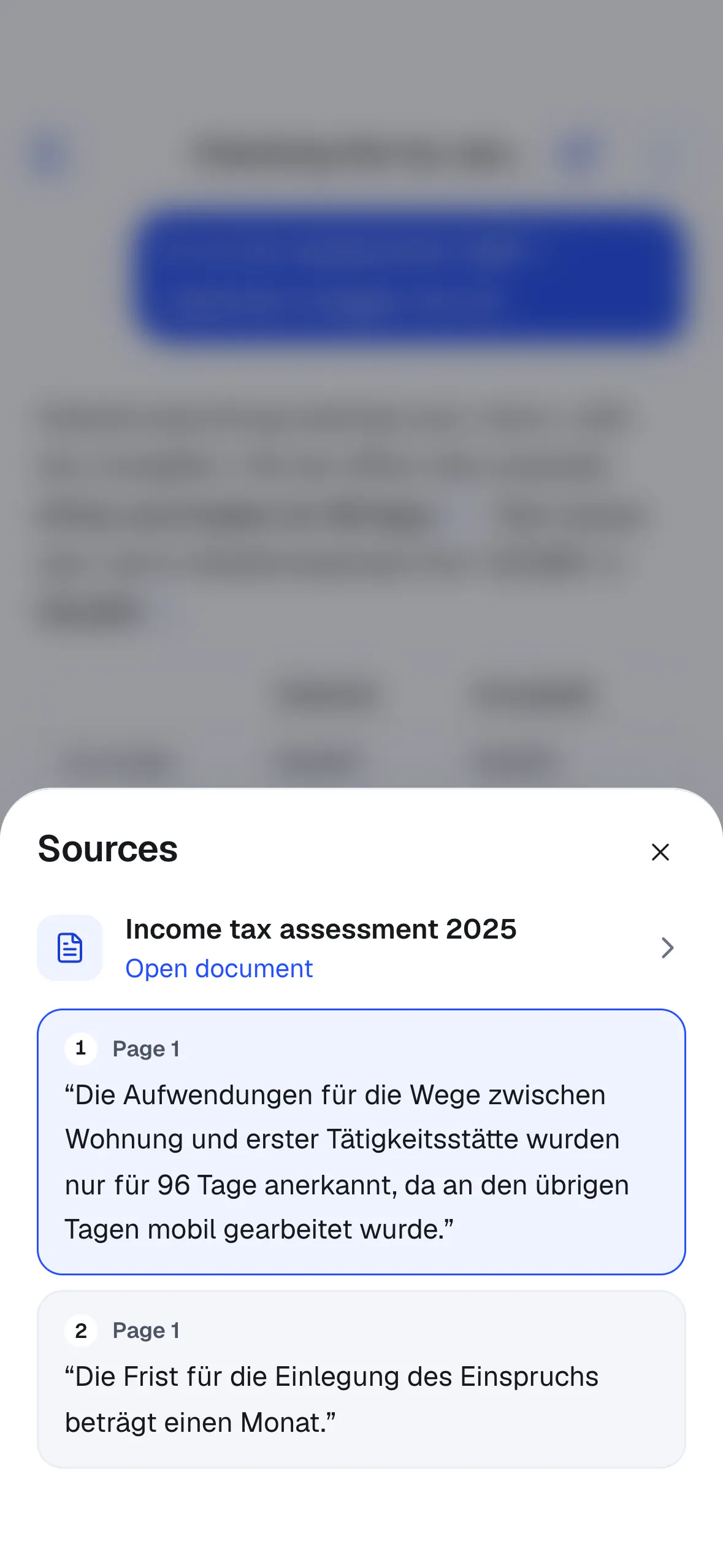
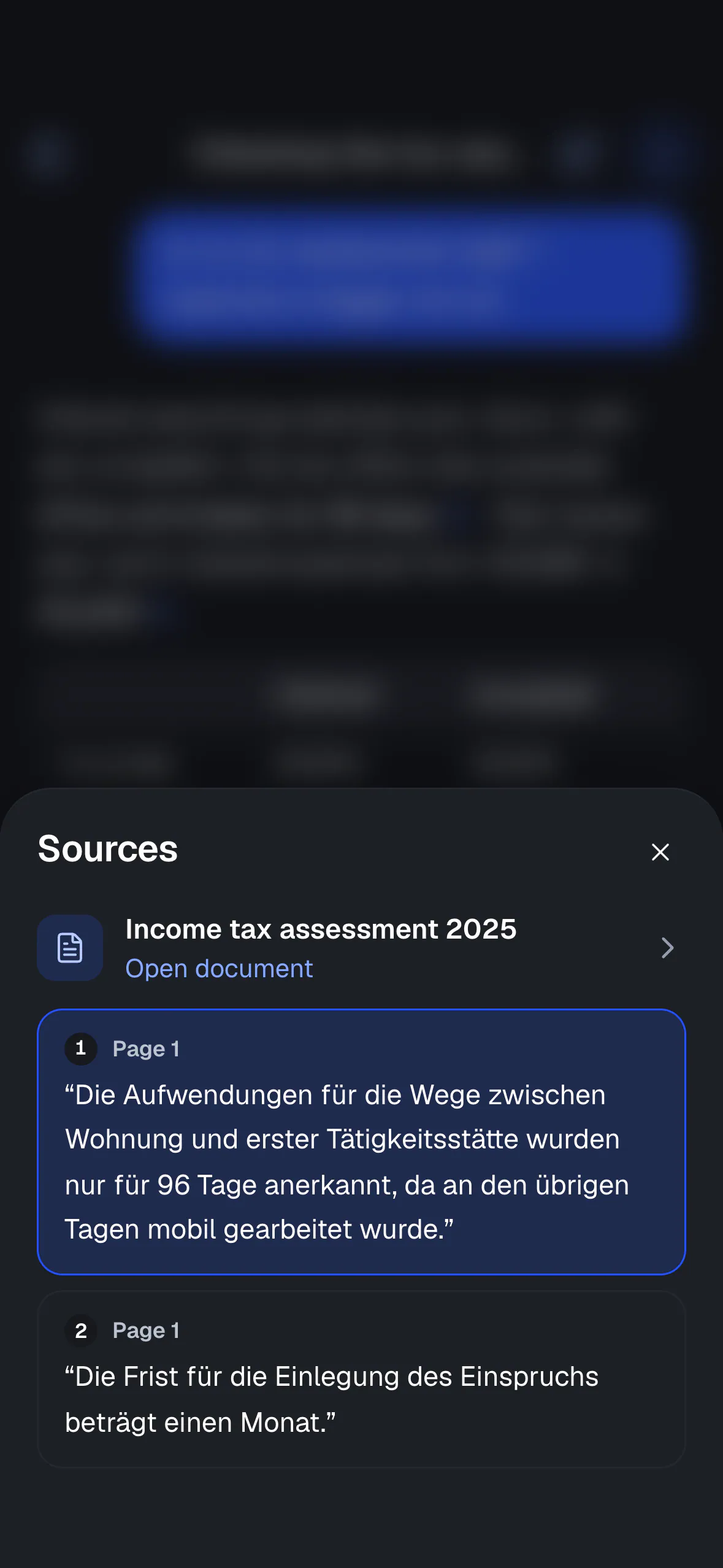
Kludo AI searches your documents, answers your questions transparently with sources and page numbers and, on request, writes ready-to-send drafts of cancellations, objections and emails.
- Every answer with document, page and the quoted passage
- Ready-made drafts with your details, to copy
- Creates deadlines and files documents once you confirm
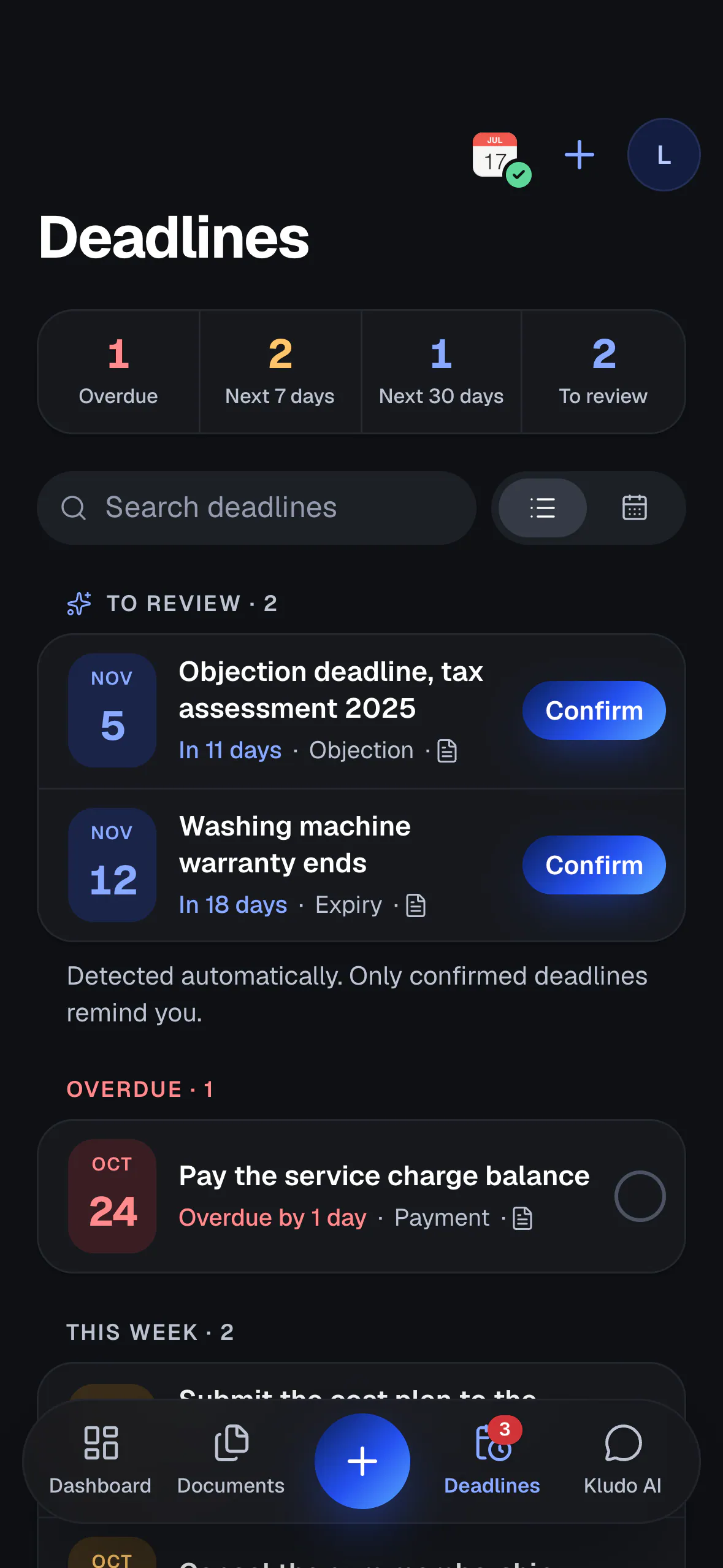
Deadlines
Every deadline in view, in your calendar too
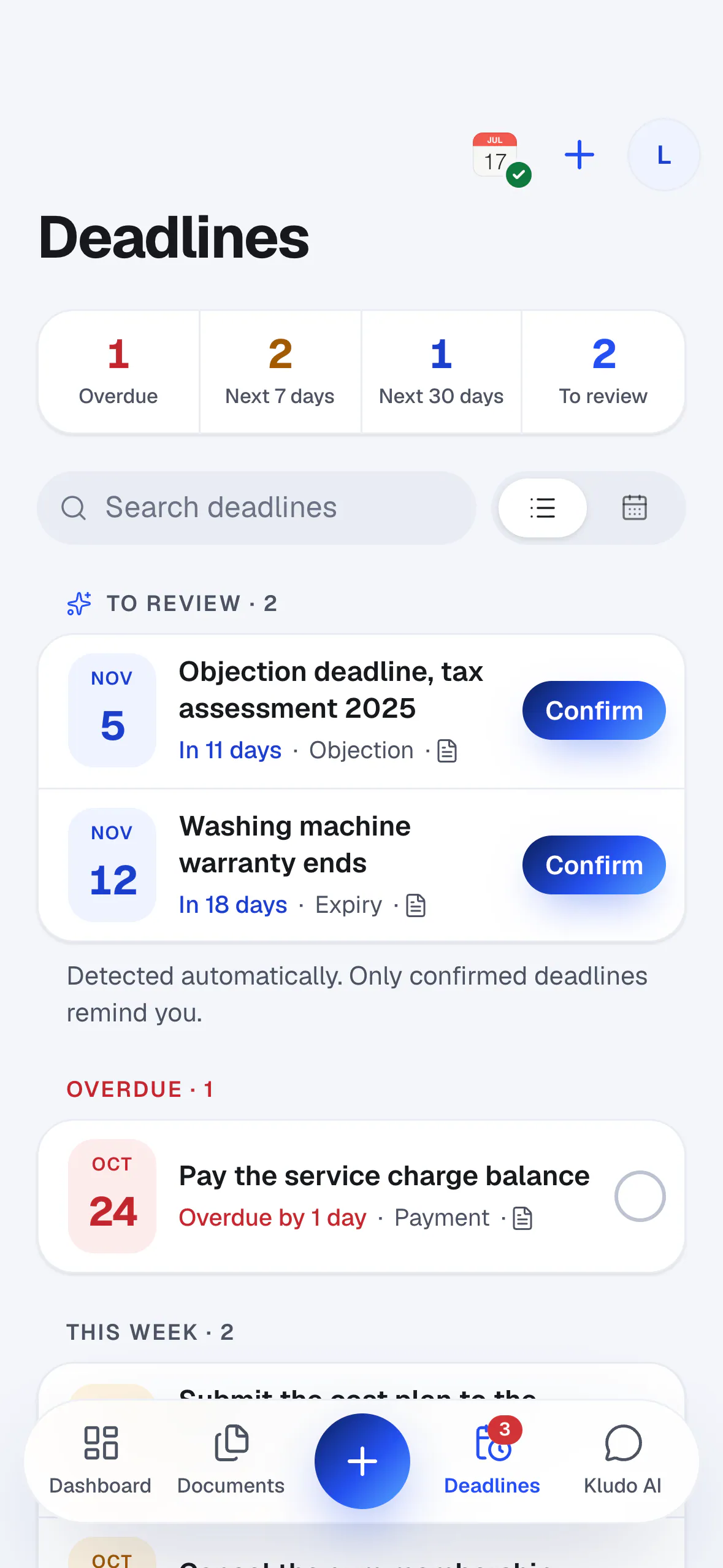
Kludo detects cancellation, payment, objection and expiry deadlines and shows them in good time. With a connected calendar they appear there as well.
- Notice
- Payment
- Objection
- Expiry
- Inspection
- Renewal
Works with Google Calendar, Apple Calendar, Outlook and any calendar app that supports subscriptions.
Email reminders, 1 to 90 days ahead
Security & privacy
Your documents, securely kept
Kludo stores payslips, tax assessments and IDs encrypted with your personal key in Frankfurt am Main.
- Stored in Frankfurt am MainDatabase, files and app servers run in data centres in Frankfurt.
- Your own keyEvery document is encrypted with a key that belongs to your account alone (AES-256).
- Only encrypted text in the databaseYour key is kept apart from the database and is only opened for your requests.
- AI used only for your requestsFor summaries and Kludo AI, the content needed is processed in data centres in the EU, solely to answer your request.
- Two-factor sign-inWith an authenticator app and ten recovery codes. Once enabled, every sign-in also requires your code.
- Ad-free and data-minimalKludo is funded by Premium subscriptions. This website only uses technically necessary cookies.
- Take everything, delete everythingYou can download all your data as a ZIP at any time. Deleting your account removes files, data and your key.
- Passwords checked against leaksNew passwords are checked against known data breaches, sending only the first five characters of a hash.
App
One app for all your devices
Kludo runs on iPhone, Android and your computer, with the same features and data on every device. You install it straight from the browser.
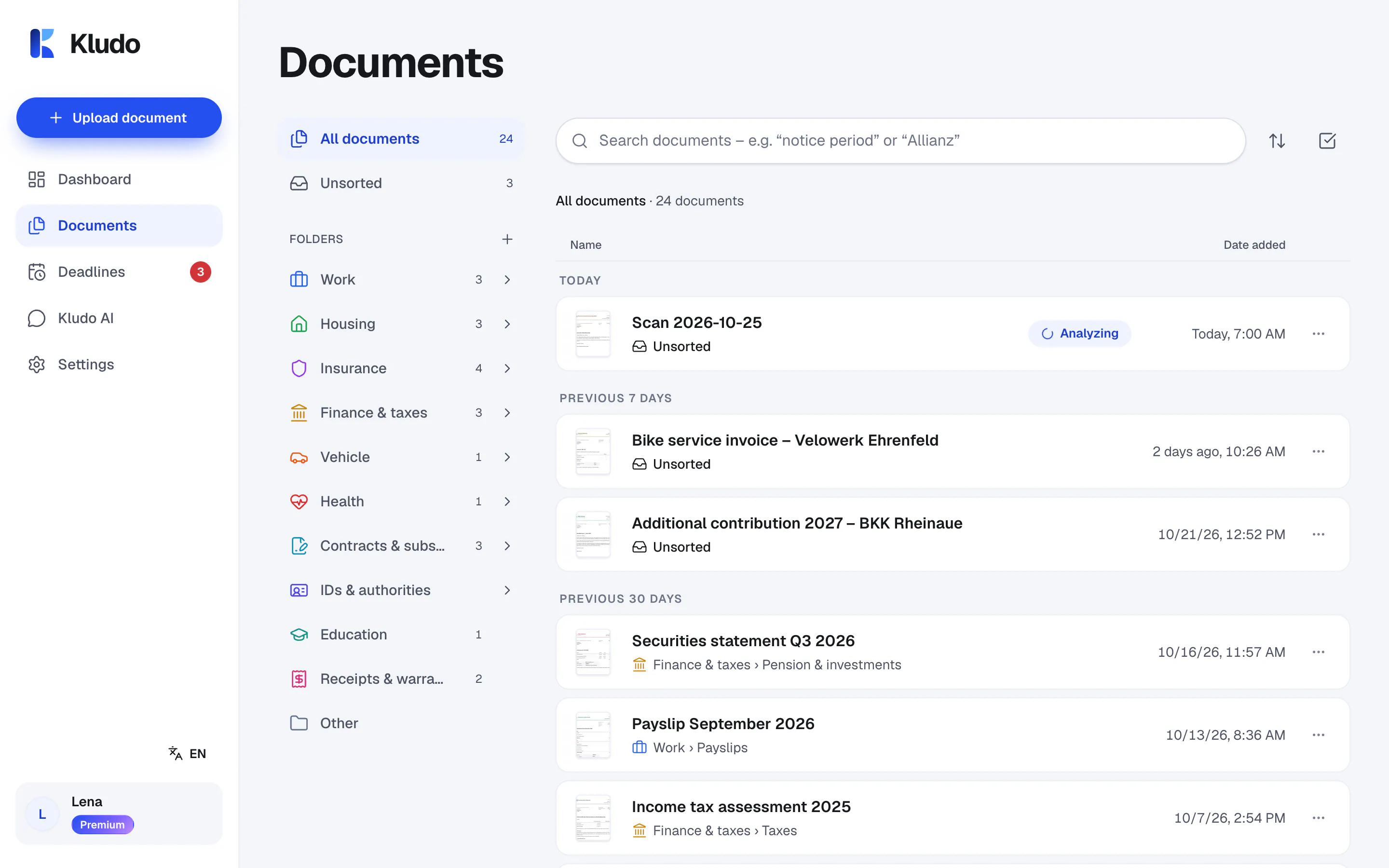
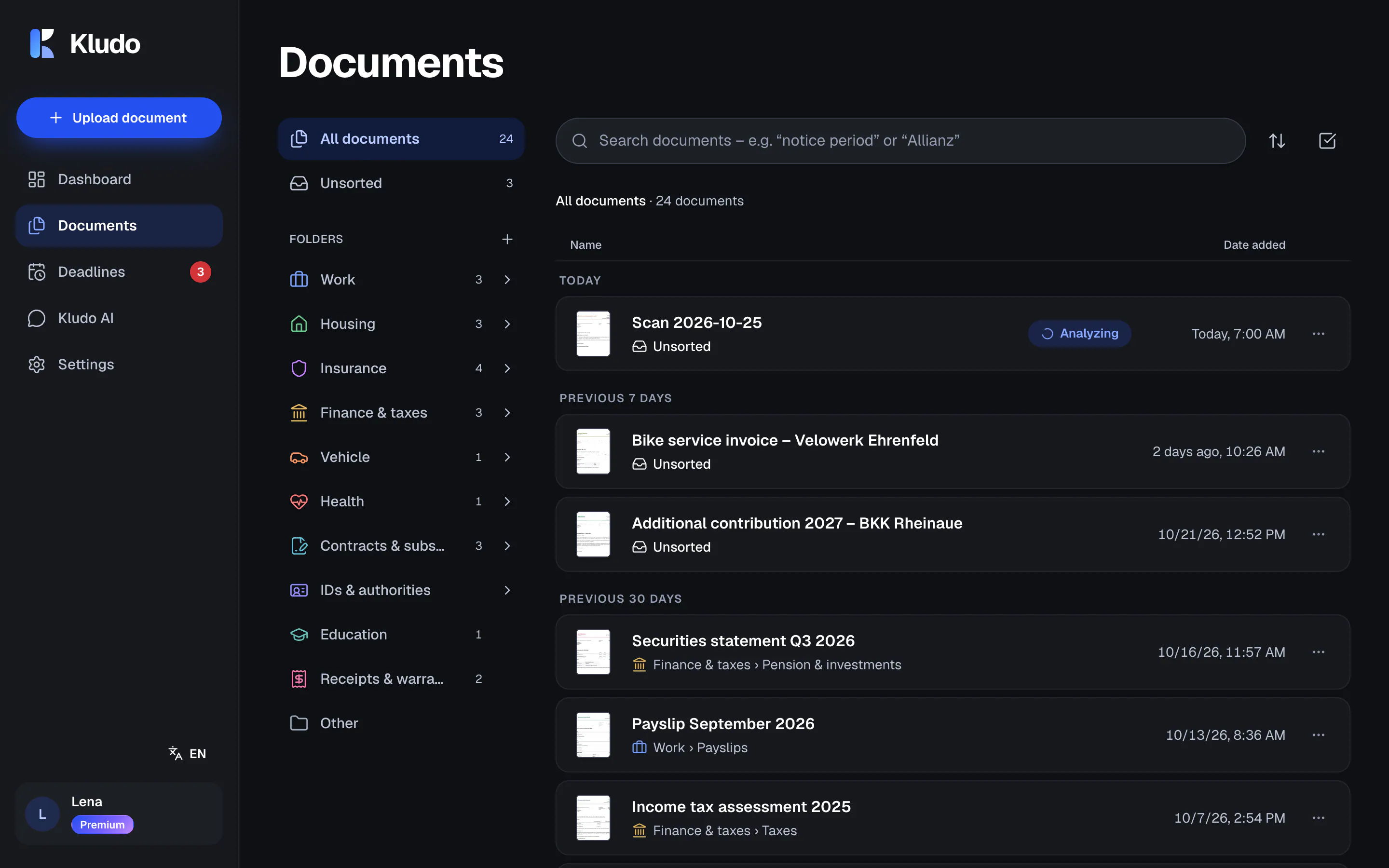
iPhone
Open in Safari, tap Share, then “Add to Home Screen”.
Android
Open in Chrome and tap “Install”.
Computer
Install with one click in Chrome or Edge, in Safari via “Add to Dock”.
The difference
More than storage
Finding a document again
Search every word in the text
- Paper folder
- Leafing through
- Photos & files
- Scrolling through pictures
Understanding what it's about
Two-sentence summary
- Paper folder
- Read it yourself
- Photos & files
- Read it yourself
Deadlines
Spotted and shown
- Paper folder
- Keep them in your head
- Photos & files
- Add them yourself
Contract and tax numbers
Copy with one tap
- Paper folder
- Copy them out
- Photos & files
- Zoom in
Questions about your contracts
Kludo AI answers with sources
- Paper folder
- Stay open
- Photos & files
- Stay open
With you on the go
Yes, on every device
- Paper folder
- No
- Photos & files
- Yes
Pricing
Start free, upgrade to Premium when you need it
Free
For getting started and for households with a manageable amount of paperwork.
€0no subscription
- Up to 25 documents
- AI summary, key facts, deadlines and folder suggestion (25 analyses a day)
- Scanner with text recognition right on your phone
- Deadlines, calendar subscription and dashboard
- Up to 5 custom folders in addition to our default folders, each with its own icon and colour
- Every security feature
Premium
For everyone who manages all of their documents with Kludo.
€4.99per month
Cancel monthly
- Unlimited documents
- Kludo AI: 50 questions a day, with sources and ready-made drafts
- 300 AI analyses a day
- Unlimited custom folders
- Everything in Free
Premium will be available shortly. Start free; all your data stays in place when you upgrade.
FAQ
What is Kludo?
Kludo is an app for your personal documents. You photograph or upload contracts, bills and official letters, and Kludo summarises them, highlights the key data, detects deadlines and sorts everything into folders.
How secure are my documents?
Your documents are stored encrypted in data centres in Frankfurt am Main, with a key that belongs to your account alone. On top of that come two-factor sign-in, a full export and permanent deletion.
How does Kludo use AI for my documents?
When you upload a document, an AI creates the summary, key facts, deadlines and a folder suggestion. The content is used solely for this analysis. Kludo AI, the assistant, reads your documents when you ask it a question.
Who can read my documents?
Only encrypted text is stored. Your key is kept apart from the database and is only opened when you use Kludo. For analysis, search and Kludo AI, the server briefly decrypts your content in memory, solely for the request at hand.
Does it work with scanned letters?
Yes. When scanning, Kludo recognises the text right on your phone, and PDFs without a text layer are read in full during the analysis.
How do I install Kludo?
Straight from Safari or Chrome to your home screen, and on a computer as an app in its own window. Installation happens entirely in the browser.
How do several people use Kludo?
Each person has their own account. Several accounts can be used on one device, and switching takes a single tap.
What does Kludo cost?
Kludo is free for up to 25 documents, including the AI analysis and all security features. Premium costs €4.99 per month and includes unlimited documents and Kludo AI. Premium can be cancelled monthly.